

2Focus
I kept running into the same mess on my Mac.
Mail, browser, editor, chat, Finder — everything stayed open. ⌘H hides an app for a moment, but then I forget what I hid. Mission Control helps, the Dock helps a little, and somehow I still click through half a dozen windows just to get back to the one thing I actually wanted to work on.
What I wanted was narrow: park a few apps at the edge of the screen, bring one of them back with a single click, and leave the others alone. Not a full window manager. Not layouts, grids, keyboard gymnastics, or another “productivity suite”. Just a small tool for that one annoyance.
So I built “2Focus”.

The idea
Apps I am not using right now become small tiles in a screen corner. They are not quit — only tucked away. A click on a tile brings that app forward and hides the other tiled apps again. Apps that were never parked stay as they are.
That is basically the whole app.
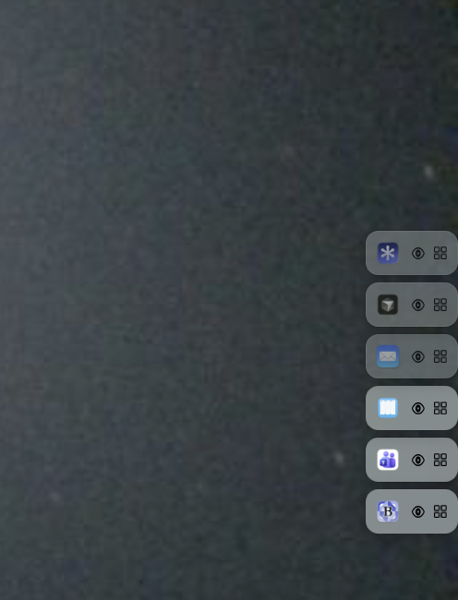
“A slim column of tiles — park apps, keep the desktop calm.”
How I use it day to day
I park the usual suspects: Mail, browser, whatever I am coding in, sometimes chat. When I need Mail, I click the Mail tile. When I go back to the editor, one click again. No hunting, no “where did that window go?”.
A few things grew out of using it myself — still kept small on purpose:
– Drag a window near the tile column / plus tile to park an app
– Or use the menu bar → Add Tile
– Eye on a tile: quick preview of the windows (blue outline) without fully committing focus
– Grid icon: pick which window to bring forward (useful for Mail or Cursor with many windows). A normal click shows only that window; ⇧ Shift-click opens it in addition to whatever is already visible
– Stealth: tiles can auto-hide until the pointer is near the corner
– Corner choice, optional app names, reorder by dragging tiles
– Right-click: release the app again, or only remove the tile
– German / English in the menu (or follow macOS)
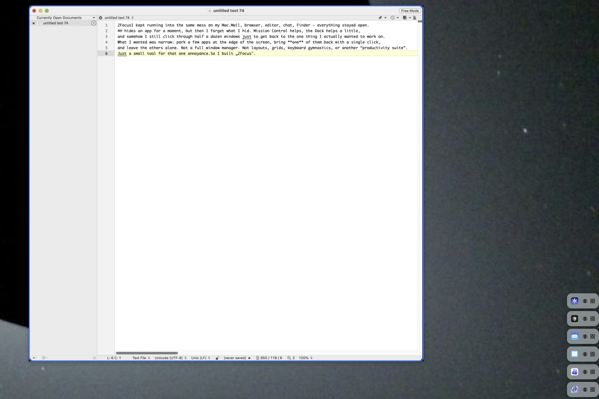
Hover the eye for a glance; click the tile when you want the app for real.
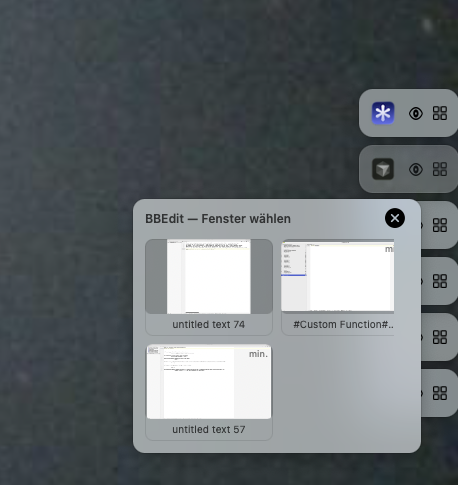
When an app has many windows: click to focus one, or ⇧ Shift-click to add another without closing the rest.
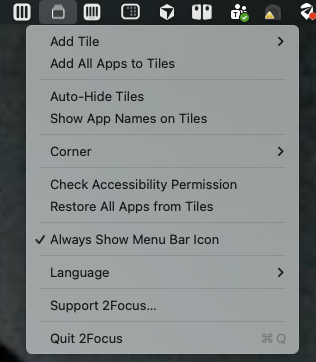
It lives in the menu bar — no Dock icon required.
macOS asks for Accessibility (to hide and restore windows). Screen Recording is optional and only helps with thumbnail previews. Everything stays local on the Mac.
I deliberately stopped adding features once the daily loop felt right. Feature bloat kills tools like this — for the developer and for anyone who has to use them.
Why not the App Store?
2Focus needs deeper access to windows (and optionally screen capture for previews). That kind of behaviour is awkward under App Store sandbox rules and review — especially around screenshots / screen recording. So this one is not on the Mac App Store.
If you want to try it: Download it here.